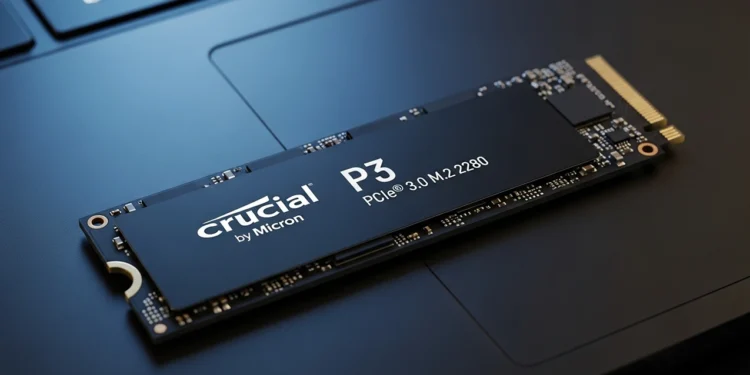
Booting a computer shouldn’t take long enough to brew a pot of coffee. Staring at a spinning wheel while the operating system crawls is a headache that most people solve by buying a new machine. Crucial P3 SSD upgrade value is the only reason I would suggest keeping that old tower and save your cash.
Mechanical hard drives are basically ancient history inside a modern build. These old boxes use spinning metal platters and a physical arm to find your documents. Every time a program launches, that arm has to move, creating a massive bottleneck for your day.
This mechanical drag is exactly why programs hang and windows freeze up without warning. Moving to flash storage removes the moving parts entirely. It changes the way a system interacts with info and provides an immediate win for productivity.
Internal Build and Silicon Outcomes
Solid state units use memory chips instead of records to store your work. The Crucial P3 Plus SSD uses PCIe Gen4 engineering to plug directly into the system board. This bypasses the slow cables that used to hold back your storage speeds.
Observations of the 5000MB/s read speeds show that this move turns a multi-minute boot into a ten-second event. Snappy response times make the machine feel brand new even if the chassis is five years old. It is a specialized tool for anyone who hates the feeling of a sluggish PC.
Silicon durability is another factor that most people ignore. Mechanical drives can fail if the computer gets bumped while those platters are spinning. A solid state unit has no moving parts to break, which provides better protection for your important files.
Solving the Frustration of System Cloning
Moving your info to a new drive often feels like a difficult task. Manufacturers sometimes provide software that is clunky or hard to use. The inclusion of the Acronis edition with this hardware is a requirement for avoiding a botched internal move.
Completing the copy ensures that every app and setting stays exactly where you left it. You won’t have to spend hours hunting for old license keys or redownloading massive files. It is an efficient way to rescue an old system without losing your work.
Some free tools try to upsell you on extra features during the copy. This irritation is a common part of the process that savvy users should watch out for. Sticking to the basic features is usually enough to get the job done and keep your money in your pocket.
Thermal Management and Drive Longevity
High speed drives can generate a surprising amount of heat during long file transfers. The Crucial P3 SSD handles these spikes well, but a cramped laptop case can still be a challenge. Ensuring there is some air flow around the slot identifies a better path for drive health.
Throttling happens when the silicon gets too hot, which slows down your movement. This outcome is rare for daily tasks but can happen during heavy gaming. The build quality on this unit is stable enough for most home users.
Drive longevity is measured in total bytes written. This unit has a high enough rating to last for several years of heavy office work. It is a reliable piece of gear that respects your time and your budget cycles.
The Wallet Rule for System Upgrades
Spending a thousand dollars on a new PC is a waste if your current processor is still capable. Most bottlenecks are about storage speed rather than raw CPU power. This internal swap respects your bank account and avoids the new computer expense.
Getting a decade of life out of your existing rig is possible with a small investment. It is a savvy move for anyone who wants to stop being a passive onlooker to price hikes. The return is a machine that works as hard as you do.
Choosing a specialized unit like this one ensures that you aren’t paying for features that a home user never uses. The Crucial P3 SSD upgrade value is found in its balance of speed and price. It provides the core experience without the unnecessary financial sting.
Smarter storage ends the loading nightmare
Ditching a mechanical drive is the only way to escape the frustration of a crawling system. The Crucial P3 Plus SSD handles daily workloads with ease and proves that internal engineering matters more than a new logo. It is a reliable tool that finally puts an end to the loading screen nightmare.
High speed storage on the Crucial P3 Plus SSD handles daily boot times with ease while the hardware results for the SATA MX500 build identify a better fit for older laptops without an M.2 slot.
Crucial P3 NVMe SSD

Crucial NVMe 1TB SSD Gen4
High Speed Hardware Movement Reaches 5000MB/s for rapid startups and snappy loading outcomes
Modern PCIe Gen4 Standards Provides 1TB of storage using high density flash for current builds
System Wide Compatibility Works with Gen3 and Gen4 boards and includes Acronis software for a simple cloning experience